
Sometimes it happens without warning. You’re using your Jazz SIM as usual, and you suddenly realize you have no idea how much balance is left. Perhaps you’re about to activate a bundle, but you’re unsure if you have enough balance. In that moment of doubt, most users search for the Jazz balance check code to confirm their remaining amount before making a call. I’ve faced this myself, and honestly, it’s frustrating when you have to pause everything just to figure out something so basic.
Official Jazz balance check code for prepaid
Jazz has solutions for almost every common issue. To check your Jazz balance (jazz balance check karne ka tarika), the company provides a very simple method. Just dial *111# from your phone and press the call button. A flash message will appear on your screen showing your remaining balance. Jazz usually charges Rs. 0.25 for each balance check. If your balance is zero (0), a message will appear saying, “Your balance is not enough.”
You can also check your Jazz balance through another USSD code that some people know about. This code not only shows your balance but also opens the Jazz menu, where you can check your active packages and other details. To use this code, dial *444*6*2# and press the call button. A popup message will appear within seconds. The tax charges are the same, Rs. 0.25 for each balance check.
*111#
Jazz balance check code
0.25 PKR
Balance deduct per check
*444*6*2#
Jazz balance check code
0.25 PKR
Balance deduct per check
Use Simosa app to check balance (Prepaid)
Many users get frustrated by balance check charges every time or by facing invalid code issues. To solve this problem, Jazz has made things more digital and convenient. Jazz launched the Simosa app, which was previously known as the Jazz World app. It is an easy and highly functional app that allows you to check your Jazz balance online without dialing any code.
You can install it from both the Apple App Store and the Google Play Store. The app is total free to use and offers many useful features. You can check your remaining package status, call minutes, SMS, and even your remaining data without any extra charges.
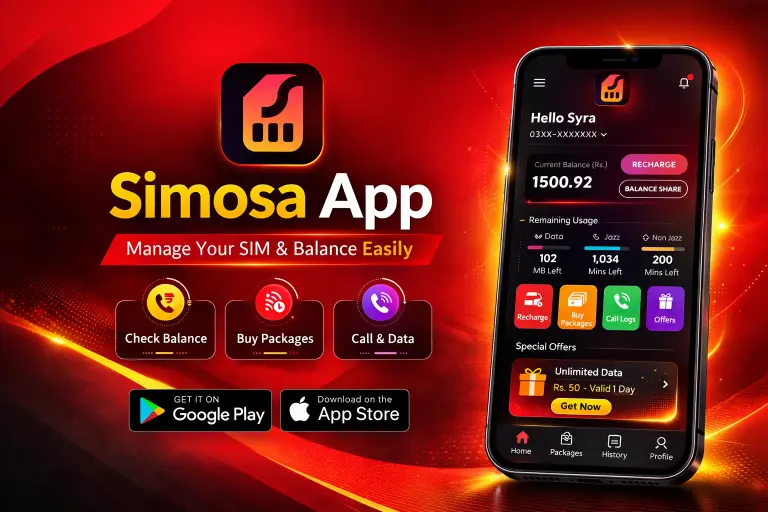
Simosa app installation guide
Check balance via helpline 111
Jazz offers a helpline service to all Jazz users to help them get their account information, activate or deactivate packages, and remove any unwanted services. Simple, calling the helpline 111 and following the instructions, you can also check your actual remaining balance.

Other Outdated Methods
Besides these three methods, there were also other ways to check your prepaid balance, such as through the Jazz WhatsApp chat (0300-3008000) and the online web portal. However, these methods are now outdated and do not work anymore. I have tested them and found that they are no longer active.
Latest method for Jazz balance check code is
Methods | Good for |
|---|---|
*111# | Quick balance check via USSD without internet |
*444*6*2# | Detailed balance information and account details |
Simosa/Jazz World | Check balance from app. |
111 | Getting balance information through helpline support |
Do you know
Jazz and Warid SIM users use the same codes to check their balance and packages.
Jazz balance check code for Postpaid
Jazz also provides a balance check facility for postpaid SIM users, just like prepaid customers. This service is free. If you are using a Jazz postpaid SIM, Just dial *2222# from your phone, and your remaining balance, minutes, sms and data will appear on the screen.
USSD | Charges |
|---|---|
*2222# | Free of cost |
Final Words
Checking your Jazz balance is very easy and can be done through simple methods like USSD codes, the Simosa (Jazz World) app, or the helpline. The fastest and more option for prepaid users is the Simosa app, which lets you check your balance. It also provides extra features by showing your remaining balance, data, minutes, and other account details directly on the screen.